Uncover the prospects hiding in plain sight.
See which relationships deserve stewardship, where someone’s giving may not reflect their capacity, and who is worth getting to know better.
DAAS is not a CRM you have to manage.
Every morning it tells you who to call and why. Every call, visit and gift is remembered, so no one slips through the cracks.
Preview examples: Who are we reaching today? Draft an email to Hebrew school families. Who should I invite for Shabbos? Draft my High Holidays email. Send out an email about Hebrew school registration.
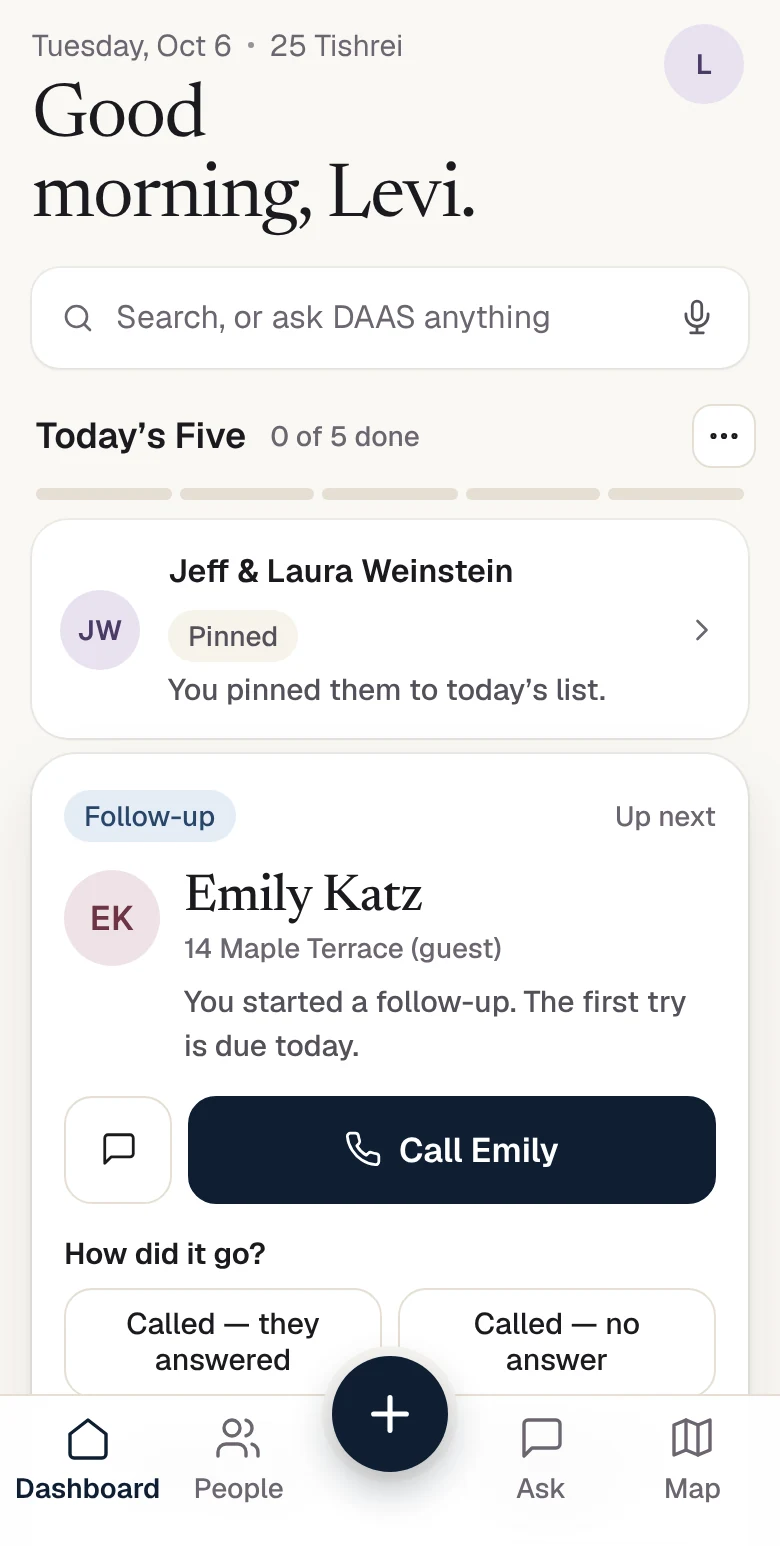
Every shliach carries hundreds of relationships in his head. DAAS carries them for you. It remembers every call, visit, Shabbos meal, class, RSVP and gift, and every morning it tells you who needs you next.
Open DAAS and your list is waiting: five names, and the reason each one is on it. Call, text or stop by, then log how it went in two taps. Tomorrow’s list already knows.
A connection list, not a fundraising list: no giving requirement, and no money in the ordering.
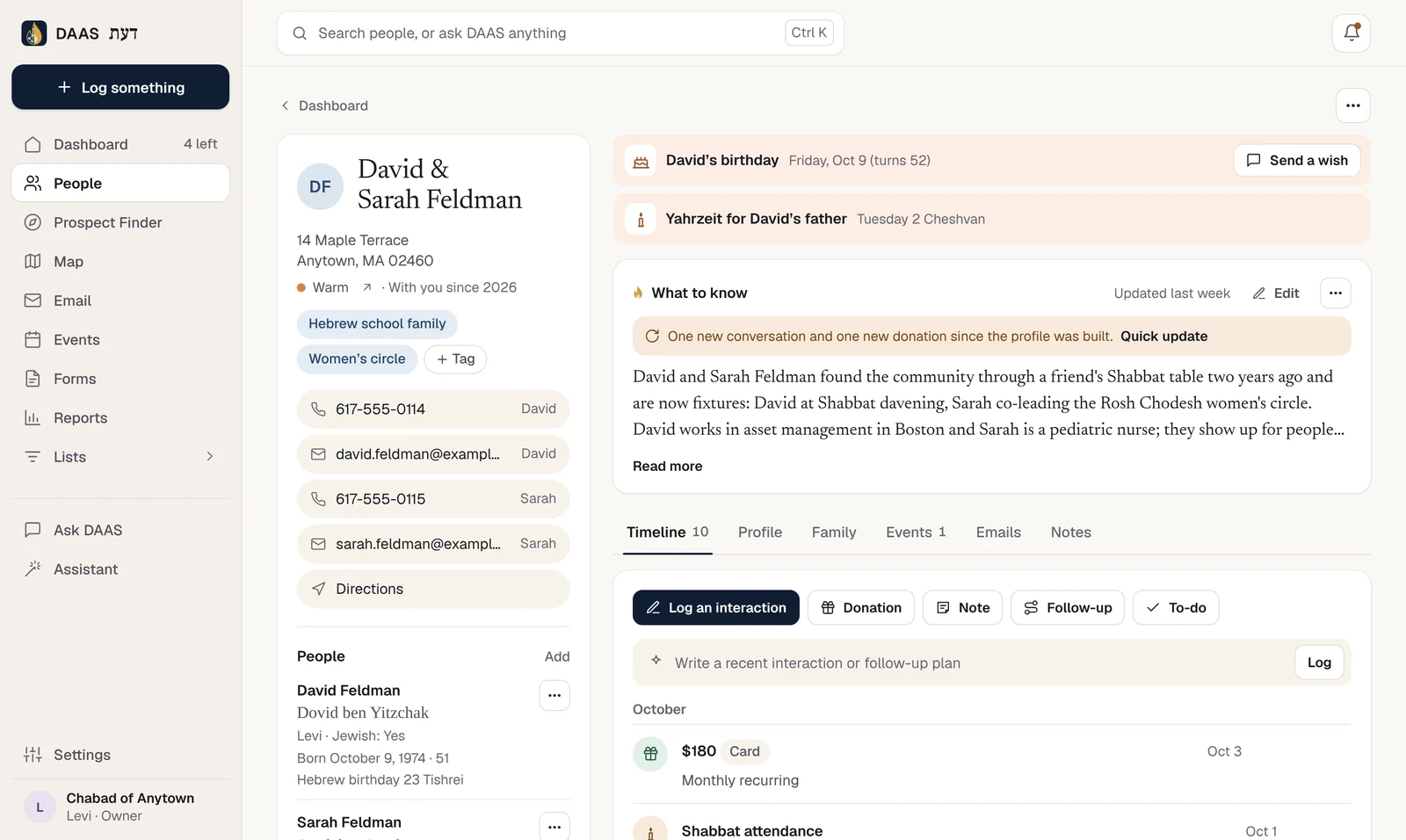
Calls, texts, visits, meetings, classes, events, donations and notes all land on one timeline per household. Open anyone and you see when you last spoke, what was said, who came to what, and whether the relationship is Warm, Steady or Cool.
Know a family well but never wrote it down? Tell DAAS everything you know, in your own words, and it sorts it into their profile.
Leaving a visit? Record a voice note from the car. Forward an email chain, snap the note on your desk, or screenshot a conversation. DAAS works out who it is about, what happened and what should happen next, then shows you exactly what it wants to save.
Nothing sends or saves until you approve it.
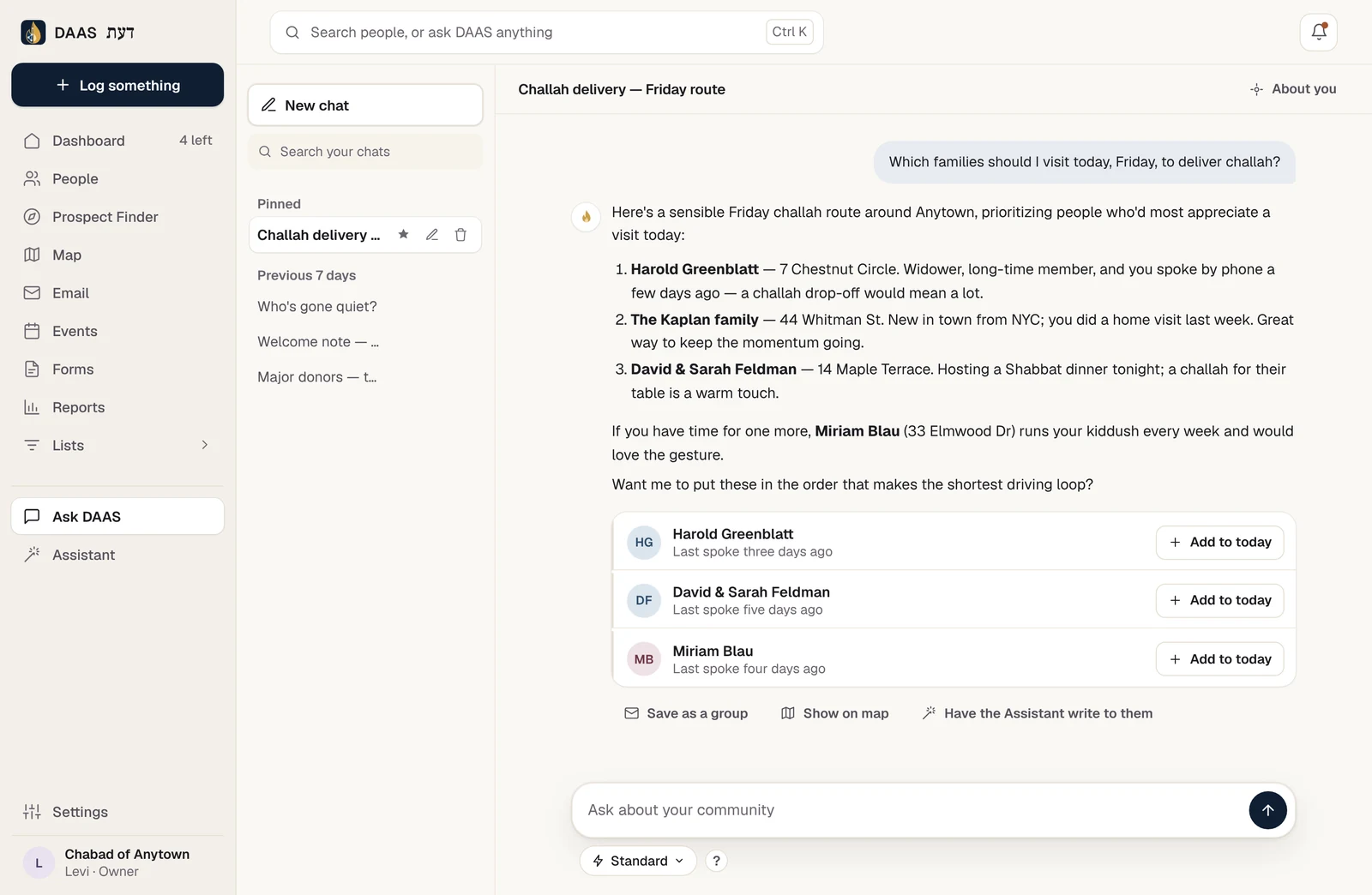
Who should I invite for Shabbos? Who hasn’t been in touch since Pesach? Which families should get a challah this Friday? Ask DAAS answers from your own records: your people, their history, your notes.
Or tell the Assistant what you need. “Email the Hebrew school families about registration” comes back as a draft with the audience already picked, ready for you to review and open in Email.
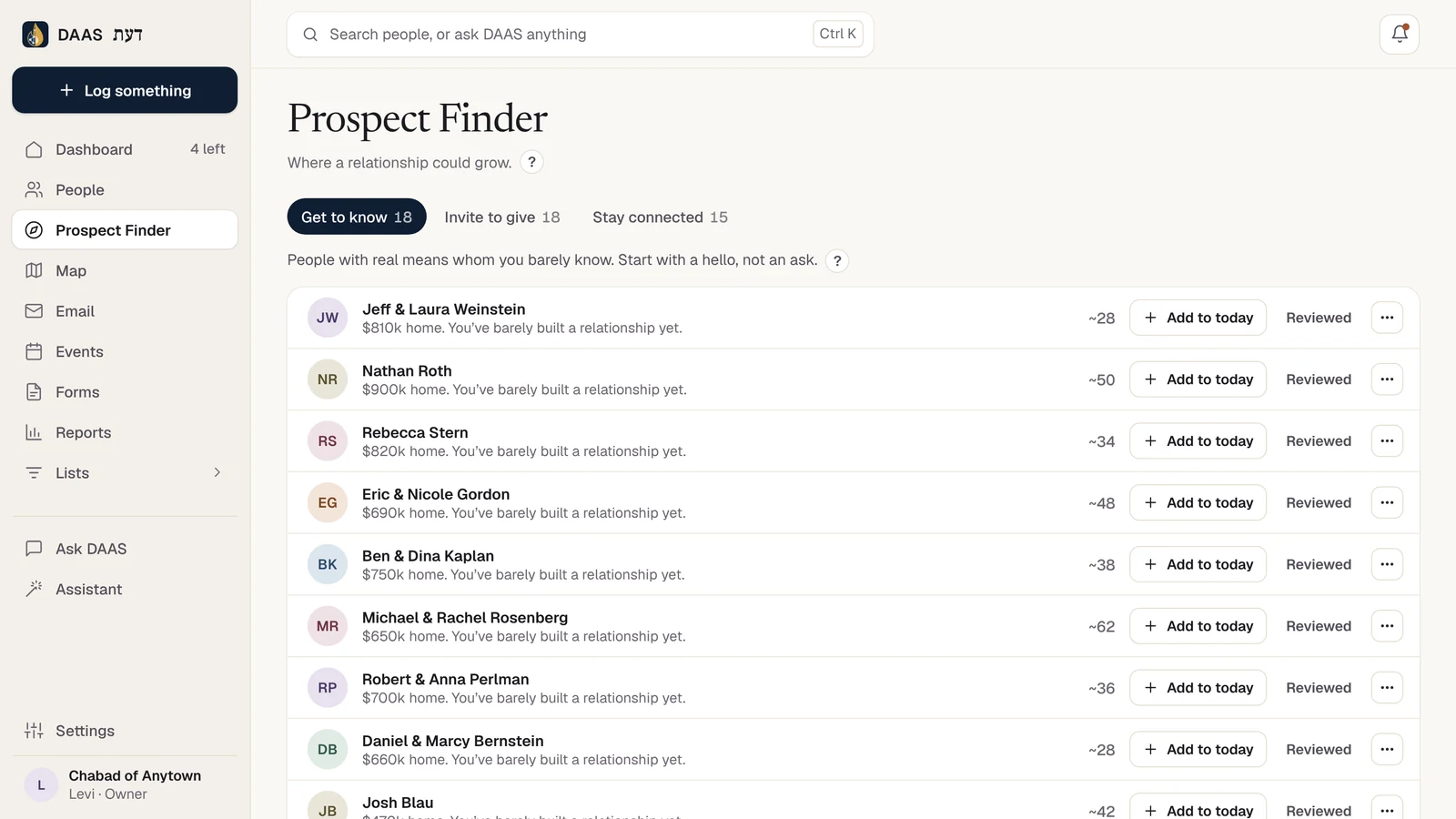
Every household gets a Prospect Score, closeness, generosity and capacity in one number, with the reasons shown. Prospect Finder sorts your community into Get to know, Invite to give and Stay connected.
See which relationships deserve stewardship, where someone’s giving may not reflect their capacity, and who is worth getting to know better.
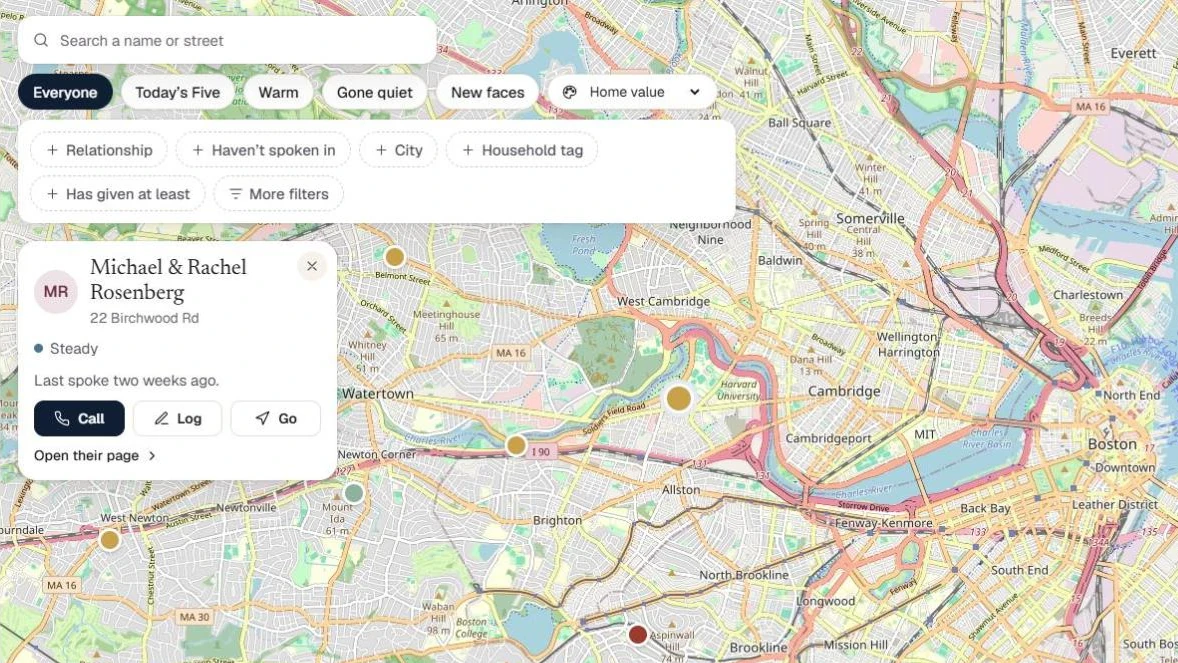
Browse your community on a map, open a household, and see the history before you knock on the door.
Send to the whole community or one group, from your own address, with opens, clicks and unsubscribes handled.
Registration forms for your website. Every signup lands in DAAS and counts toward the relationship.
Donation forms connected to your Stripe. Every gift is recorded with the family it came from.
Promise to call back after Sukkos? Set it and DAAS brings it up when it is due.
See who came, who gave, and who has gone quiet, without building a spreadsheet.
Add DAAS to your home screen. Your list, your calls and the map go wherever you go.
Choosing who you should call doesn’t use AI at all. DAAS looks at each family’s history, when you last spoke, how often you usually do, who is new, and brings the right names forward. AI steps in only for the busywork: turning voice notes into records, drafting emails and answering questions.
Daily Five, follow-ups and Prospect Finder work from your own records: calls, visits, events and gifts. It costs nothing to run, and every name comes with the reason it is there.
Voice notes become records, a spoken request becomes a drafted email, and questions about your community get answers. It runs on your own OpenAI key, the technology behind ChatGPT.
Your CRM lives in your own Supabase account. DAAS cannot access or read your CRM data.
AI prepares; you decide. Nothing goes out and nothing is saved without your approval.
DAAS is built to give each community control without asking anyone to become a database administrator.
Still have a question?
Email admin@daascrm.app ↗
You do. Your CRM lives in your own Supabase account, an online database you create and control, and you can open it whenever you like. DAAS gives you simple screens for everyday work, but DAAS cannot access or read your data.
You do, directly, and only for what you use. You add your own OpenAI key, the technology behind ChatGPT, and OpenAI bills you. It powers Log something, Ask DAAS, Build profile and the Assistant. Choosing who to call doesn’t use AI, so that part costs nothing.
Email is included. DAAS sends through Amazon SES, and we help you set up your own domain, so every message comes from your own address, with opens and clicks tracked for your community.
Yes. Build donation, registration and event forms and put them on your website. Every signup goes straight into DAAS, and donations run through your own Stripe account, so each gift is recorded with the family who gave it.
Request DAAS below and we will send you an access code. The setup wizard builds your private CRM in a few minutes, then you sign in. Your AI and payment keys can be added then or later.
Yes. Open DAAS on your phone and add it to your home screen. Your Daily Five, voice notes, logging and the map all work one-handed on the go.
Explore the fictional Chabad of Anytown. The demo uses the real interface and fictional data; changes reset when you refresh.
View demo ↗Tell us who you are and where DAAS would serve your community. We will be in touch with the next step.
Already using DAAS? Log in to your CRM. · Have an access code? Set up your workspace.